You can now use the new Isha’at support page, where you may find answers to frequently asked questions. We kindly recommend that you first check the FAQs before contacting the Isha’at department. 

If you are facing any IT related issues contact [email protected]

Contact Ish'at Support

Please use the contact form to submit a request for support on any events or content updates required. You will receive an acknowledgment via email once your request has been received.

You must have an MKA email address to access the link below.

Isha'at FAQs

We’ve combined a list of frequently asked questions and catagorised them accordingly. From Canva related issues to requesting Isha’at support on any matter. We highly recommend you view this section first.

Content Management System (CMS)

What is the content management system?

The content management system (CMS) is the back-end of the Khuddam website where users who have granted access can upload content regarding news articles, events or pages depending on their level of role that is assigned to their account.  

How can I access the Content Management System

Login using khuddam.org.uk/login and sign in via your MKA Google Account

Who has access to the content management system

Local Qaideens, Regional Nazimeens, National level users.

What types of content am I allowed to upload?

This can vary between news articles, where you give a summary of the latest events or programme that have taken place within your qaidat or region. Events can be utilised to list any local, regional or national event, you can add all the programme information details within the events section of the CMS. Or Pages can be uploaded, these can be singular or a wide variety parent pages linking to a main page which is only accessible to national level users.  

Is it possible to edit someone else’s articles or events?

No, the content that YOU have created can only be edited by YOU. Others can only view the content you have made publicly available 

Is there a handbook that can be used to support me when uploading content?

This is no physical or digital handbook. You can view our CMS guide here

Isha'at Resources

Are there any Isha’at resources available for this year’s Ijtema?

Yes, every year we publish a set of brand-new templates and brand guidelines on how to support your promotion materials for your local or regional ijtema.

Head to ijtema.org.uk/resources

Do I have to use the resources made by Isha’at team?

No, you are free to make your own promotional materials in accordance to the MKA Branding guidelines.  

What editors can I use to edit or make my promotional materials?

You can use a range of materials, however MKA Isha’at have got a Canva Teams account where Regional Nazimeens can work with local nazimeens to make their promotional Materials. If you do not wish to use Canva then you can simply use photopea and edit one of the materials on the ijtema.org.uk/resources templates.  

Can I borrow equipment for an upcoming event?

If you need Ishaat assistance for an upcoming event, you must contact the Ishaat team outlining your request in full detail. Use mka.uk/ishaat-contact.

Canva Access

What is Canva?

Canva is an easy-to-use graphic design platform that allows you to create Carleton- branded visual content, including social media graphics, posters, flyers and more. And, it’s available to use in your browser. After creating your piece, it can be downloaded as an image file or PDF and immediately shared or is ready to print.

How to Login into Canva


Please read this section carefully

1. Check your inbox for a welcome email from Canva.
Accept the invitation, and launch Canva in your web
browser. (https://www.canva.com/).
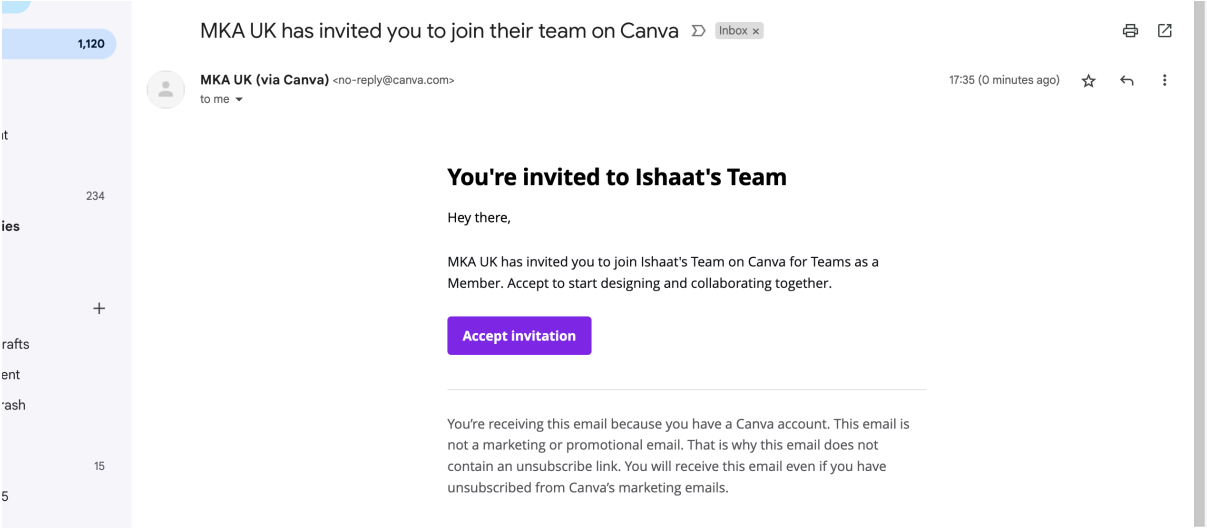
2. Select ‘Continue with email’, enter your Qiadat email and name. Then check your email for the code which will have been sent to you and enter it in the screen below.
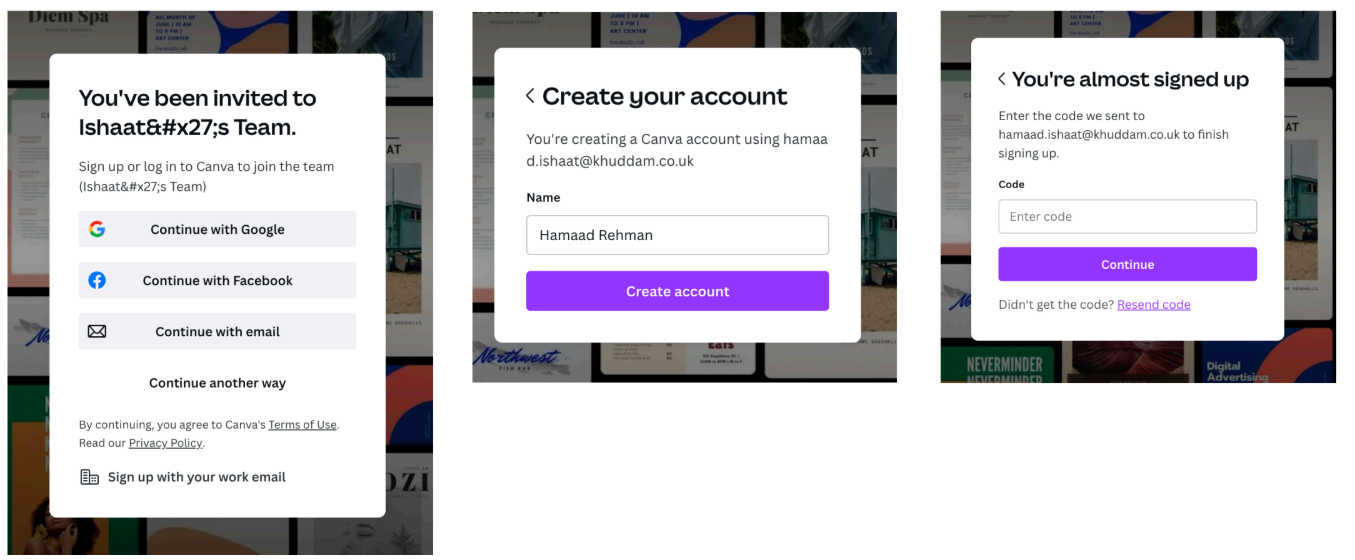
If you have not received an invitation to Canva please contact Central Isha’at for further support.

Accessing Canva Brand Templates

*If you can NOT see the brand templates kindly check you’re added to the Isha’at Team. If not please request for access by contacting Central Ishaat.*

1. Go to MKA’s Brand Templates folder on the left of the homepage under ‘Brand’

2. Select All Brand Templates
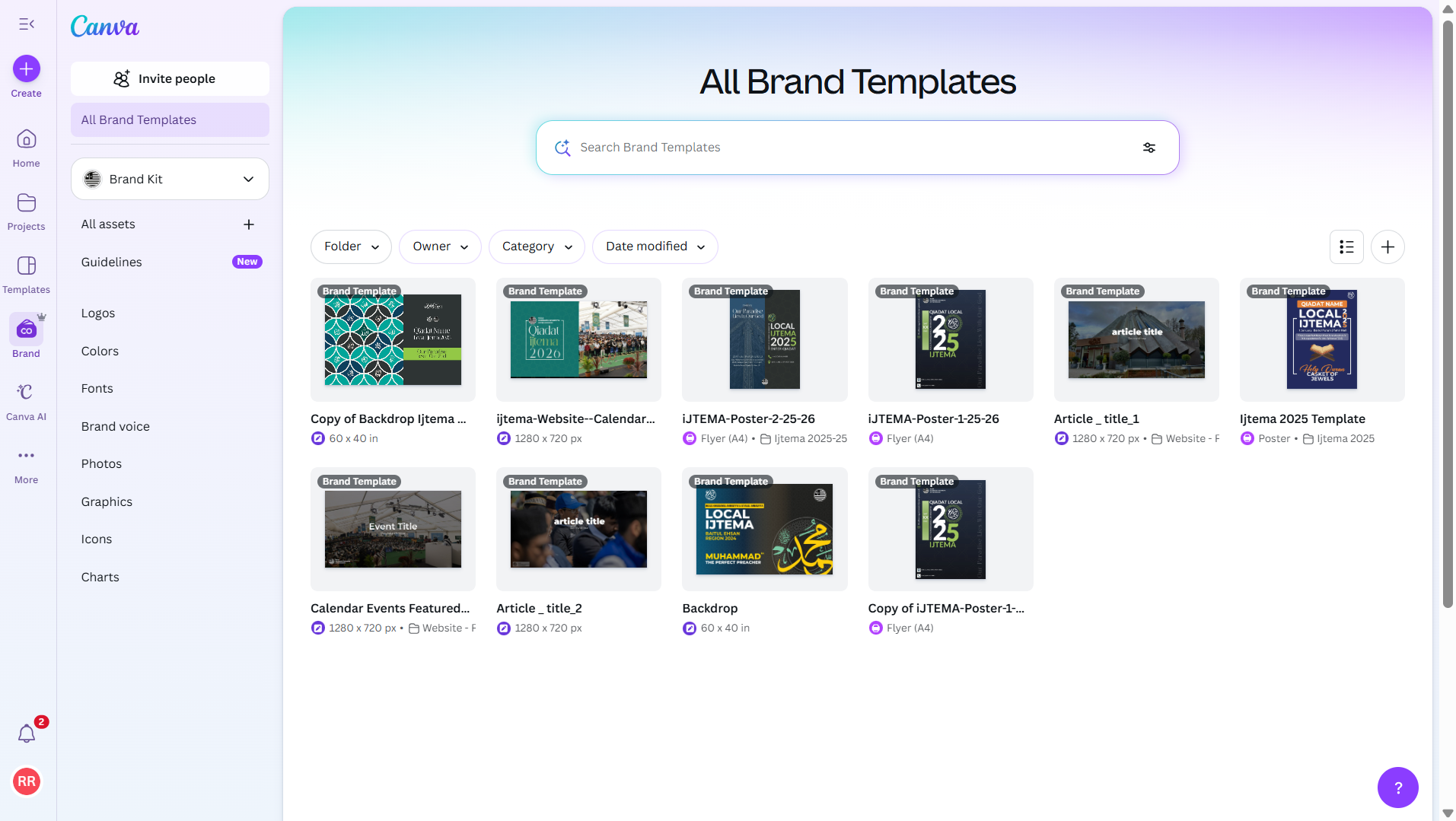


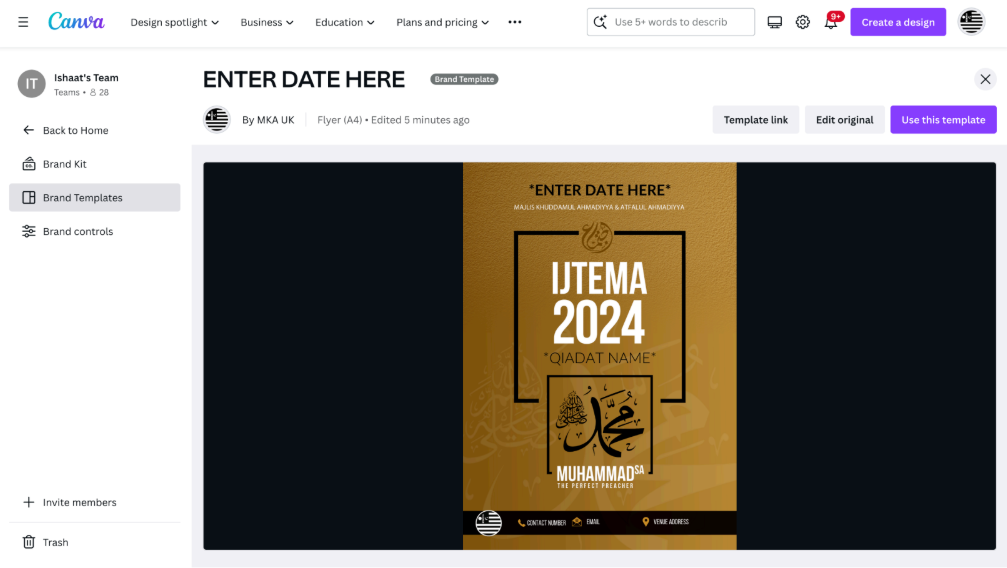
3. On the template screen, choose a template you want to use and click on it.

4. Select “use this template” and a copy of that template will be made on a new window.
Canva Editor
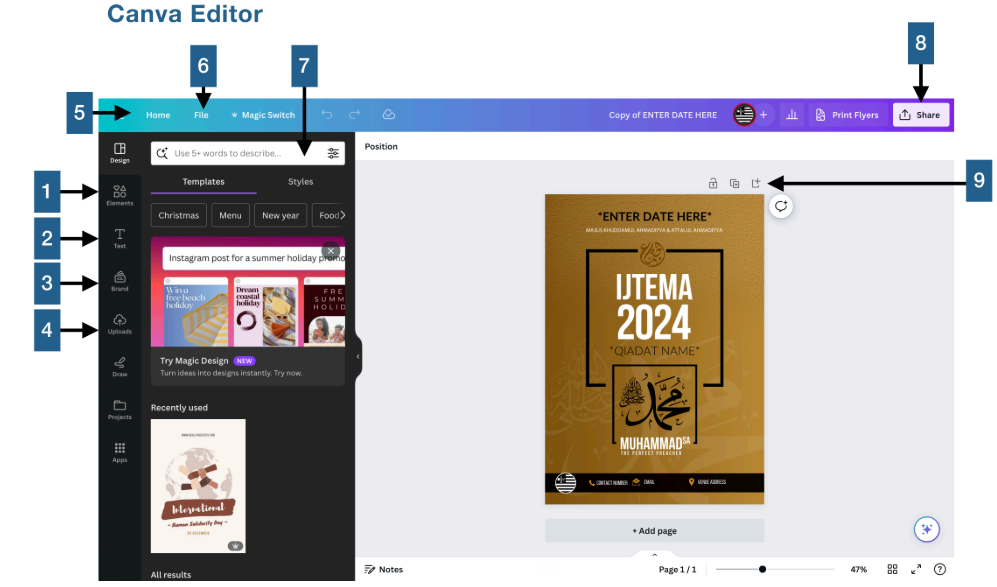
  1. Elements: Select photos, frames, shapes, lines, etc. to add to your design.

  2. Text tab: Beyond the text placeholders already available to you, the text tab gives you options to add additional pre-formatted text heads, sub-headings, and body text. There are also font combinations available. Of note: Use caution in how you use these, as they are not Carleton-branded.

  3. Brand tab: Carleton-branded colours are available just below the search bar. While there are a variety of patterns, landscape, and other background options, it is not advised to use colours that fall outside of the Carleton brand.

     
  4. Uploads tab: This area allows you to upload your own elements such as images and graphics.

  5. Home: Takes you back to your home page.

  6. File: Create a new design, show margins, show print bleed, save all your changes, move to folder, resolve comments, see version history, make a copy, download your design, or look for help.

  7. Search: Find new templates, designs, images and elements here.

  8. Share: Allows you to share your design with others. This feature also gives you the flexibility to adjust restrictions, allowing individuals to view or edit. This feature also gives you different options and formats to download your design in, so you can download your design, share a link, make a presentation, email the design, or share it on social media.

  9. Add a new page: Directly add new pages with this button.


Footnote: The Carleton brand is a visual identity system defined by its primary colors of red, black, and white, alongside a personality that is professional, authentic, inclusive, and active.

Who can access Canva?

Access: Only Regional Nazimeen, Local Qaid and Local Motamid can access Canva upon request. Department team members can also have a Canva account upon request. If you have NOT received an invitation, please contact the central Ishaat team

General

Do Local Nazimeen have their own Google Accounts

No

How do I change my password on my Google account if I can’t log in?